
EN:User Interface Arrangement: Difference between revisions
Created page with "Individual tabs can be arranged as desired in the Compass-Software.<br /> This means that every user is able to set up an ideal arrangement tailored to their needs. <br /> ==..." |
No edit summary |
||
| Line 37: | Line 37: | ||
</gallery> | </gallery> | ||
[[Category:Windows | [[Category:Windows client|U]] | ||
Latest revision as of 13:11, 4 April 2018
Individual tabs can be arranged as desired in the Compass-Software.
This means that every user is able to set up an ideal arrangement tailored to their needs.
Process

Tabs/Windows can be arranged using drag and drop.
The following options for the arrangement are available.
The selected window can be arranged left, right, above, below or behind the open tab/window.
Examples
Display the result list and detail view in one window.
Arrange the result list on the left and the detail view on the right.
-
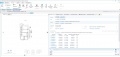 click window bar (blue mark), hold down mouse button and drag to the bottom
 -
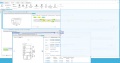 click window bar (blue mark), hold down mouse button and drag into result list
 -
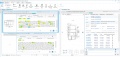 result list and detail view next to each other


In detail view, display the text in a new window.
-
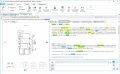 click window bar (blue mark), hold down mouse button and drag to the bottom
 -
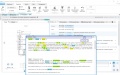 click window bar (blue mark), hold down mouse button and drag
 -
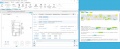 text window separated from detail view (e.g. on a second screen)


Show text and bibliographic data in one window
-
click window bar (blue mark), hold down mouse button and drag to the bottom
-
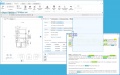 click window bar (blue mark), hold down mouse button and drag into detail view
 -
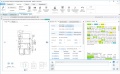 bibliographic data and texts are next to each other

